Yes, a business may be able to license support ticket data for AI training, but the useful asset is a traceable account of a problem, not a dump of messages. Define the proposed licensing scope first, including permitted uses and excluded material. ADP is independent of buyers and never receives company datasets.
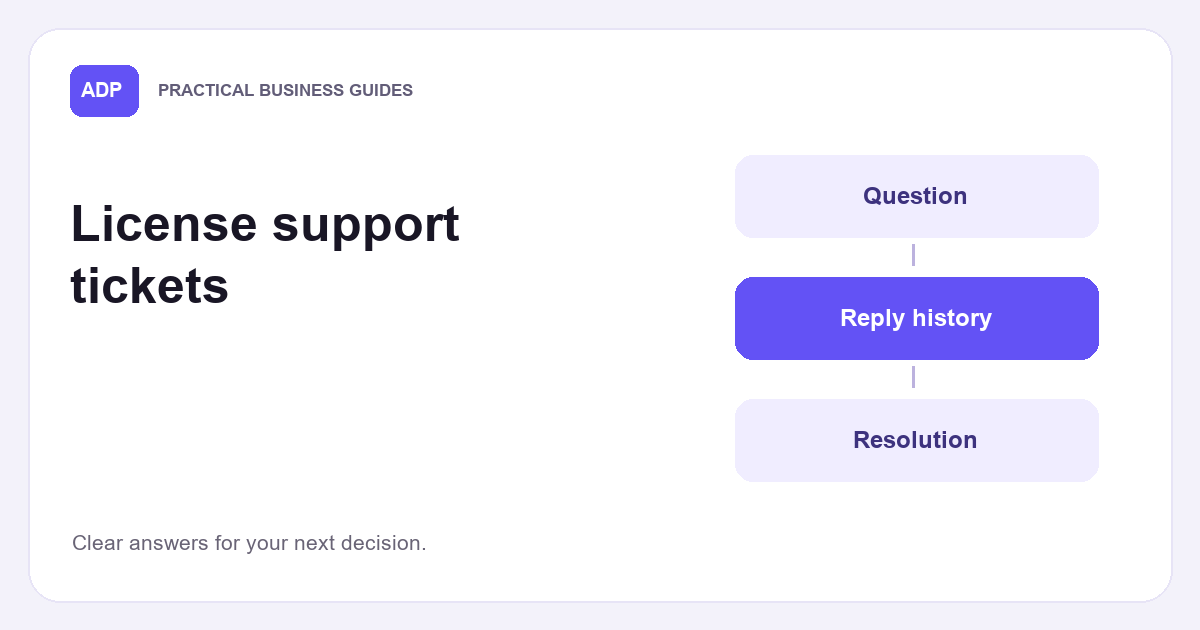
A ticket thread might start with a fault report, move through staff questions and end with a replacement or an unresolved wait. Before considering any quality sample, check whether your export preserves that sequence. A tidy collection of final answers may hide the steps that make each answer understandable.
Read a ticket as a complete case
If you’re considering whether to sell your company data, first decide what counts as one problem in your support ticket data. One customer might report a faulty device and later ask about an invoice in the same conversation. Those questions need separate interpretations, even if your helpdesk stores them under one number.
Start with the original request, then link each agent reply to the issue it addresses. A reply saying a replacement was arranged tells you what staff promised, not whether the replacement arrived or worked. Keep internal notes distinct from messages sent to the customer, since a proposed diagnosis isn’t necessarily a confirmed one.
Record the customer question in the customer’s own words where it is safe and permitted to do so. If staff quote that question in a later message, mark the quote as repeated text rather than a fresh report. Otherwise, an export can make one fault look like several separate requests.
Preserve replies and status changes
Useful support ticket data includes events as well as messages. A reassignment, diagnostic action and outgoing message do different jobs, even when they share a timestamp. Give each event a type and retain its link to the original record. That lets a reader distinguish work carried out from an explanation sent afterwards.
A resolution code is a system label, not a full account of what happened. “Replacement sent” might describe an action, while “resolved” might simply reflect a closure rule. Keep the code and its date, but read the surrounding messages before treating it as evidence that the customer’s problem ended.
Exports of support ticket data often show the current status beside every message. That can make an early exchange appear resolved before anyone had investigated it. Preserve each change as an event where the helpdesk allows it. If it only retains the latest status, state that limitation instead of inventing an earlier sequence.
Make the resolution understandable
Hypothetical worked example: a customer reports a faulty unit on Monday. Staff dispatch a replacement on Wednesday and close the ticket. On Friday, the customer says the replacement has the same fault. The case outcome on Wednesday was a recorded dispatch and closure, not a confirmed lasting fix. Friday adds evidence without erasing Wednesday’s action.
The status history should let you answer what was known at each point. Pending might mean waiting for a customer photograph, a supplier decision or an internal test. If no reason was recorded, leave the cause of the wait unknown. Don’t assign responsibility for a delay from the status label alone.
For support ticket data, keep system closure and evidence of a fix as separate fields. “Customer confirmed it works”, “staff recorded an action” and “no further reply recorded” support different conclusions. If a customer later reports the fault again, retain any earlier confirmation with its date rather than silently replacing it.
Handle reopened and merged cases
A reopened case may continue the original problem or introduce a new one. Compare the new message with the earlier request before grouping them. “The replacement also fails” bears on the first fault; “please explain my invoice” probably needs a separate issue label, even if the helpdesk reopens the same ticket.
When support ticket data spans several cases, retain links between related records without pretending they are identical. A widespread outage may prompt independent reports that staff later handle together. One repair action can be relevant to several customers, but it isn’t evidence that every customer received the same reply or confirmed a fix.
A merged ticket needs both its original record links and the date of the merge. If the system overwrites earlier parent numbers, you may not be able to reconstruct how cases were grouped beforehand. Mark that gap. Don’t count one shared repair as multiple independent resolutions simply because several reports now sit together.
Separate helpful context from sensitive material
Begin attachment review before deciding that files belong in a licensable set. A photograph may explain a fault, while a diagnostic log could include device identifiers or details unrelated to the question. List attachment types and their purpose, then decide whether the case remains understandable if a file is excluded or replaced with a description.
In support ticket data, private notes can explain why staff took an action, but they can also contain speculation or confidential details. Preserve the fact that a note was internal if you retain it. Review whether its content is needed for the proposed use rather than treating everything visible to staff as suitable for disclosure.
Remove access credentials, reset links and secret tokens from candidate records, including quoted messages and attachments. Look beyond obvious password fields: customers sometimes paste login details into free text. If removing a passage breaks the explanation of the problem, describe the missing step without carrying the secret into a proposed dataset.
Review rights and permitted uses
Before discussing support ticket data with a buyer, establish who can authorise a proposed use. A business can give ADP written consent to make an introduction, but that is not consent from the people in its tickets. ADP cannot approve eligibility or grant a licence; the business and buyer would agree their own terms.
Removing names does not automatically make a conversation anonymous. Distinctive facts or retained identifiers can still point to someone, and pseudonymised records can remain personal data. The ICO’s anonymisation guidance distinguishes those concepts. Assess identifiability alongside the proposed processing, rather than treating a redacted export as proof that privacy obligations have ended.
Check the customer agreement, confidentiality commitments, copyright in contributed text or attachments and your authority under relevant contracts. A proposed licence does not settle those issues or establish a lawful basis for processing. The ICO’s data sharing agreement guidance explains why parties should specify purposes, data and responsibilities. Our data protection and confidentiality guide separates the main checks.
Describe quality without sending conversations
You can assess support ticket data internally before anyone sees a conversation. Record which periods and products are covered, whether replies and status changes survive export, and how often cases lack a clear ending. Describe gaps by type. An unknown outcome is more informative than relabelling every closed ticket as solved.
Write down your redaction process as decisions a reviewer could repeat: which fields are removed, which free-text passages need inspection and when an attachment is excluded entirely. Test whether removing a detail changes the meaning of the case. Keep the review within your business rather than sending real records to ADP.
A useful description of support ticket data explains its structure and limits without reproducing customer words. You might list available event types, the periods covered and whether reopenings can be linked. If a prospective buyer later asks for records, settle the permitted purpose, rights checks and appropriate transfer arrangements before sharing anything directly.
Prepare the right next step
Identify the source system and any migrations before promising a continuous history. Two helpdesks can issue the same ticket number, while an old export may omit internal events carried into the new one. ADP’s paid introduction course and portal explain introductions; they are not model engineering training or a route for submitting company records.
Check timestamp order with a few cases inside your own environment. Separate when an action happened from when someone entered it, especially for notes about earlier calls. Where events share only a minute or disagree after migration, flag the uncertainty. A plausible-looking chronology is less useful than one whose ordering limits are clear.
Keep a case identifier tied to its system and period so that records can be traced without exposing customer details in an initial discussion. Then prepare a short inventory of coverage, event fields, exclusions and unresolved rights questions. If you own the records, ADP’s information for businesses is a low-pressure next step, not an eligibility decision or earnings promise.
Frequently asked questions
Is a closed support ticket proof that the problem was fixed?
No. Closure records a helpdesk status, not necessarily a fix. Look for evidence such as a relevant customer confirmation, and retain any later reopening.
Can we share tickets after replacing customer names with codes?
Not on that basis alone. Pseudonymised tickets can still be personal data, and privacy, confidentiality, copyright and contract permissions need separate review.
Does ADP need an export to discuss an introduction?
No. ADP never receives company datasets. Start with a description of the records and their limitations, without sending conversations, attachments or credentials.