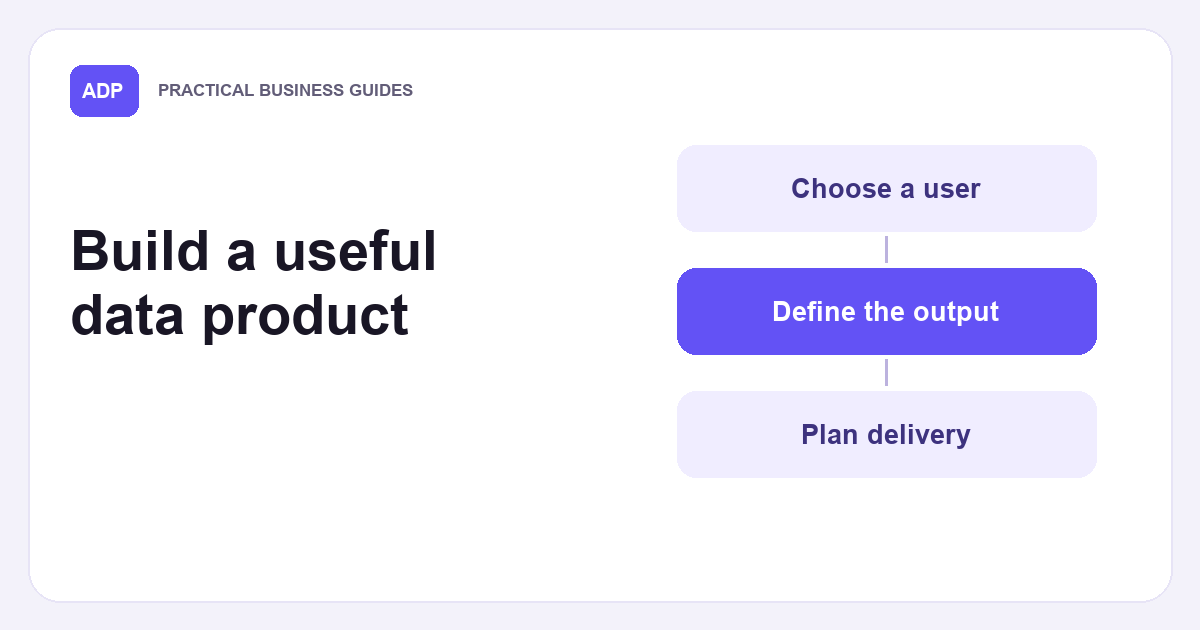
A spreadsheet sent once is not automatically a recurring offer. What are data products? They are information outputs you can deliver to the same specification more than once. Treating data as a product means specifying the audience, fields, update method and contact for questions before choosing a report, file or feed.
What is a data product in your organisation? Start with the recipient’s task and choose a format that fits it. A data product strategy should identify the decisions the material supports and whether someone will maintain it after the first issue. ADP can make an independent introduction between a prospective buyer and owner, but it does not receive their dataset.
Define the repeatable offer
Useful data products package repeatable information for an identifiable user and purpose. Enterprise data products can serve colleagues or external recipients, but both need a clear owner, inputs, output and route for corrections. A report emailed every four weeks becomes a defined offer when its contents and upkeep are clear.
Write a short specification the recipient can use to check what they receive. Include the unit of observation, date coverage, calculation rules and a data dictionary explaining each field. Note how blanks and late entries are treated. That lets a reader distinguish a change in the underlying activity from a change in your definitions.
Treating data as a product means planning beyond the first delivery. These data products need an owner who can repeat the preparation, explain changes and respond when an output is unclear. A one-off extract can instead be complete once the specified file has been supplied. The distinction is the future work being offered, not whether the first file looks polished.
Check whether the inputs are ready
Good data products start with a source you can describe accurately. Prepare sample data that shows column names, units and typical gaps without implying that every future record will look the same. Check how the information was collected and whether restrictions or identifying details need attention before suggesting external delivery.
A tidy file is easier to trust when the recipient knows where its information came from. Record the source system, extraction date and transformation steps, then keep a version history when corrections change the output. Otherwise recipients cannot tell whether a changed total reflects a new observation, a fixed error or a different calculation.
You can treat data as a product using a simple manual process at first. A documented manual process can work if somebody can repeat it consistently and explain its limits. Test one complete release from extraction to recipient view, and note which steps rely on human judgement so that the next issue follows the same rules.
Work through a four-week report
The following data product examples are hypothetical. Reports are useful data products when customers need a summary of repeated activity. Consider a four-week report of completed visits at eight shops. Assuming each shop reports in every week, eight times four gives 32 shop-week observations. The report combines those observations into four weekly totals and one overall total.
The buyer needs a publication schedule alongside the chart. Set a refresh schedule of five working days after each four-week block. Define a completed visit once, use that rule for every shop and flag any missing shop-week rather than presenting an incomplete total as complete.
Treating data as a product means applying the same counting rule when you issue the next report. Allow for corrections to wrongly coded visits and recipient queries as support costs. If the owner stops updating, the recipient has an archived report rather than a continuing reporting service.
Work through a quarterly download
Downloadable data products can suit periodic analysis. Consider a hypothetical quarterly CSV download of historical records for ten depots. Each issue covers a rolling twelve months, with one row per depot per month. Assuming complete coverage, ten times twelve gives 120 rows per issue. Three months later, the window moves forward by three months.
Give the recipient a CSV layout, field meanings and a way to identify each edition. State usage terms for the download, including who may use it and whether redistribution is permitted. The buyer and owner agree these points in their licence. AWS provides guidance on providing data sets for one publishing route.
Treating data as a product makes the next edition part of the offer. Each release should keep stable column names where possible and explain changed fields before recipients import it. The difference between these data products and a single historic export is the commitment to prepare another usable release when the next quarter ends.
Work through a scheduled feed
A feed is one of the data products that can suit a recipient who needs timely changes in small batches. It sends four scheduled batches each day for seven days, so four times seven gives 28 batches in a week. Define the time zone, retry method and service levels for missed batches before promising that cadence.
Each batch could contain newly recorded depot arrivals since the previous cut-off, with an empty batch if nothing changed. A stable identifier lets recipients reconcile duplicates after a retry. The owner should also specify how far back a correction can alter a previously sent event, so recipients know whether to revise records they have already imported.
Unlike the quarterly file, this feed depends on delivery monitoring as well as accurate content. If one batch fails, the recipient needs to know whether it will be retried or included in the following batch. That recovery rule belongs in the specification rather than being left for the recipient to guess during an interruption.
Allow for delivery and support
A team hoping to monetize data products should start by estimating the work it would undertake, not an imagined return. A recurring fee might cover preparation, hosting, queries and revisions, but demand and workload remain uncertain. List which tasks are included and which would need a separate discussion before committing to frequent releases.
Building data products includes testing each edition against the published layout, recording changes and naming someone to answer delivery questions. The work continues even if the recipient reads only the final report or file. For wider context on managed, reusable outputs, see Google Cloud’s overview.
A catalogue page can explain the release pattern, coverage and how a buyer requests a specification without making the underlying files public. The distinction between describing an offer and delivering it also matters on a data marketplace. Keep public descriptions separate from actual files and give prospective recipients a way to ask precise questions.
Compare a bounded licence
A bounded licence has a different starting point. Imagine the same ten-depot, twelve-month file already exists and the owner is willing to discuss one defined copy for a specified use and period. There is no promise to produce the next quarterly edition. AI training is one possible proposed use, not an automatic permission or a required purpose.
A historical extract has a defined finish line. A stable file plus an agreed licence can be useful without becoming a maintained service. The buyer and owner agree the licence, including the identified records, permitted use and restrictions. For more on that particular proposed use, see AI training licensing.
Treating data as a product adds future production, issue handling and a delivery schedule. A bounded licence can cover one agreed snapshot. Neither label determines the deal by itself. ADP makes independent introductions and never handles datasets. The buyer and owner decide whether to agree a licence.
Choose the next step
When choosing among data products, check that you have repeatable inputs, a recipient who needs the output and time to maintain delivery. A data monetisation plan can document those assumptions without treating a possible sale as certain. Choose a report for interpretation, a download for periodic reuse or a feed for timely changes.
If only a finished extract exists, sell your company data offers a starting point for considering an introduction rather than inventing an ongoing service. Describe the dataset’s coverage, dates, format and known gaps before a conversation. ADP does not take custody of the files, and the buyer and owner agree what any licence covers.
Use a one-page comparison to decide what to discuss next. For each option, note the exact records, intended recipient, delivery date, maintenance owner and contact for questions. Leave the future-release entries blank if no new editions are offered. This keeps permission to use an existing file distinct from an obligation to keep producing material.
Frequently asked questions
How do I choose between a download and a feed?
Choose a download when recipients can work with periodic, complete releases. Consider a feed when they need changes between releases and you can manage monitoring and retries. Ask the prospective recipient how much delay they can tolerate before committing to a delivery pattern.